
Introduction
Computer-Aided Design (CAD) has revolutionized how we design and create virtually everything, from skyscrapers and cars to microchips and clothing.It's a cornerstone of modern engineering and manufacturing, impacting nearly every aspect of our lives. In this article, we dive deep into the world of CAD, explore its core principles, applications, and differentiate it from related fields like CAE and CAM.
Context and Why This Topic Matters Today
CAD software provides a crucial advantage, allowing designers and engineers to create complex models and simulations far faster and more accurately than traditional methods.Its impact is felt across numerous industries, boosting productivity, reducing errors, and fostering innovation. The increasing complexity of modern designs and the demand for personalized products have further cemented CAD's position as an indispensable tool.
Definition
CAD, or Computer-Aided Design, refers to the use of computer software to create, modify, analyze, and optimize designs. Essentially, it's a digital drawing board, but infinitely more powerful. Instead of pencils and paper, users employ software to create 2D and 3D models, incorporating precise dimensions, material properties, and other vital details. In essence, it’s a sophisticated digital toolkit that allows designers to build virtual prototypes before committing to physical creation. This process significantly reduces costs and risks associated with physical prototyping and rework.
Key Principles/Core Concepts
Several core principles underpin CAD functionality:
1. Geometric Modeling:
CAD software employs various techniques to represent shapes and objects digitally. Common methods include:
- Wireframe Modeling: Creating a skeleton of lines and curves to define the object's basic structure. This is a simple yet limited approach, primarily used for basic designs.
- Surface Modeling: Defining the object's surface with patches or curves. This method is ideal for creating complex, aesthetically pleasing shapes with smooth surfaces.
- Solid Modeling: Creating a complete 3D representation of the object, including its volume and material properties. This is the most common and powerful approach, allowing for precise analysis and simulations.
2. Parametric Modeling:
This powerful technique allows designers to create models using parameters and constraints. Changing a single parameter (e.g., the length of a component) automatically updates related elements, ensuring consistency and reducing errors. This feature significantly increases design efficiency and flexibility.
3. Computer Graphics and Visualization:
CAD software leverages advanced computer graphics to render realistic images and animations of the designs. This is crucial for visualizing the final product, communicating design intent, and identifying potential flaws early on.
4. Design Analysis and Simulation:
Advanced CAD software packages offer built-in simulation capabilities, allowing users to test the design's performance under various conditions (e.g., stress, temperature, fluid flow). This helps identify weaknesses and optimize the design before physical prototyping.
5. Data Management:
Efficient data management is critical in CAD. Software incorporates tools for organizing, sharing, and version controlling design files, ensuring collaboration and preventing conflicts.
How It Differs From Related Concepts
How does CAD differ from Computer-Aided Engineering (CAE)?
While both CAD and CAE are vital parts of the product development process, they have distinct roles:
| Feature | CAD | CAE |
|---|---|---|
| Primary Focus | Design and modeling | Analysis and simulation |
| Output | 2D/3D models, drawings | Simulation results, stress analysis, etc |
| Tools | CAD software (AutoCAD, SolidWorks) | FEA software (ANSYS, Abaqus), CFD software |
| Objective | Creating the design | Verifying the design’s performance |
CAD creates the what, while CAE assesses the how well it performs. They are complementary technologies. CAD data serves as the input for CAE simulations.
How does CAD differ from Computer-Aided Manufacturing (CAM)?
CAM focuses on translating the CAD model into instructions for manufacturing equipment:
CAD: Design creation and visualization.
CAM: Manufacturing process planning and control.
CAD provides the blueprint; CAM determines how that blueprint becomes a physical product. CAM software generates toolpaths for CNC machines, 3D printers, and other automated systems.
In contemporary product development, an integrated suite of CAD, CAS, MCAD, and CAE tools plays a critical role in streamlining workflows from concept to production. For mechanical and detailed design, industry-leading MCAD platforms such as PTC Creo, SolidWorks, Autodesk Inventor, and Siemens NX offer robust parametric modeling, assembly design, and engineering documentation capabilities. CATIA, widely used in the automotive and aerospace sectors, bridges MCAD and CAS by combining surface modeling with complex systems engineering tools. On the styling front, CAS solutions like Autodesk Alias and ICEM Surf are trusted for Class-A surfacing and advanced aesthetic design, particularly in transportation and consumer goods. For engineering analysis and validation, CAE platforms such as ANSYS, Altair HyperWorks, Abaqus, SimScale, and COMSOL Multiphysics provide comprehensive simulation capabilities across structural, thermal, fluid, and multiphysics domains. Collectively, these tools enable cross-disciplinary collaboration, reduce development cycles, and ensure performance-driven design outcomes across industries.
Real-World Applications
CAD is pervasive, touching almost every industry:
- Automotive: Designing car bodies, engines, and internal components. Companies like Tesla heavily rely on CAD for their electric vehicle designs.
- Aerospace: Designing aircraft, spacecraft, and their intricate systems. NASA uses advanced CAD tools to design rockets and satellites.
- Architecture: Creating building plans, 3D models, and visualizing architectural designs. Zaha Hadid Architects famously used CAD to create their avant-garde buildings.
- Manufacturing: Designing parts, tools, and assemblies for production processes.
- Electronics: Designing circuit boards, integrated circuits, and electronic devices.
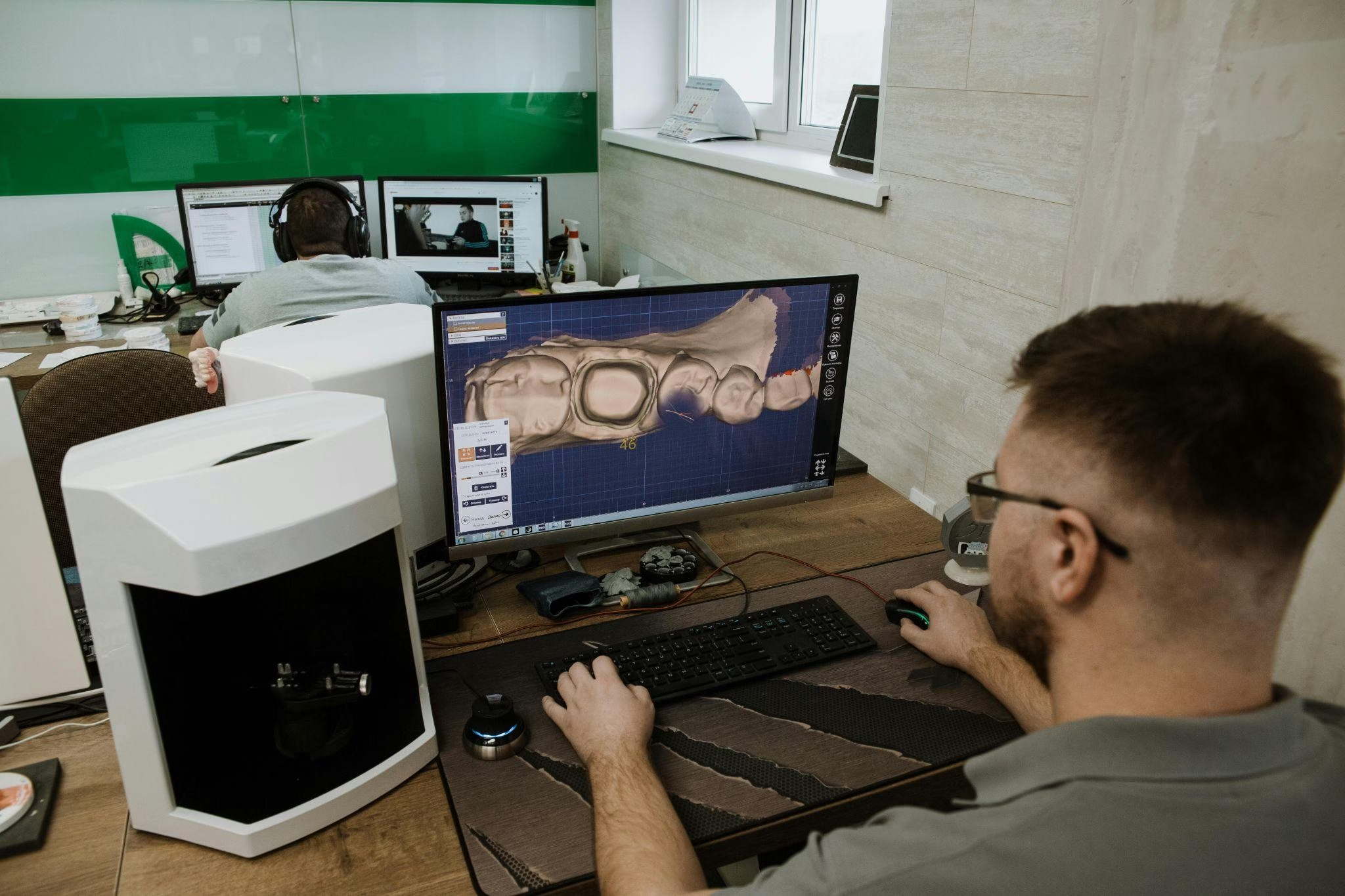
- Medical: Designing prosthetics, implants, and surgical instruments.
- Fashion: Creating 3D models of clothing and accessories, enabling virtual prototyping and personalized designs.
Common Misconceptions
- CAD is only for experts: While mastering advanced features takes time, the basics are accessible to anyone with some technical aptitude and patience.
- CAD replaces human creativity: CAD enhances and streamlines the design process but cannot replace the ingenuity and vision of the designer. The software is a tool, not a replacement for human creativity.
- All CAD software is the same: There's a wide range of software packages, each with strengths and weaknesses depending on the industry and complexity of the design.
Challenges or Controversies
- Software costs: High-end CAD software can be expensive, creating a barrier for smaller companies or individuals.
- Learning curve: Mastering complex CAD software requires significant time and effort.
- Data security: Protecting design files from unauthorized access and intellectual property theft is a growing concern.
- Interoperability: Ensuring seamless data exchange between different CAD software packages can be challenging.
Trends and Future Outlook
- Cloud-based CAD: Increasing adoption of cloud-based platforms for collaboration and accessibility.
- Artificial Intelligence (AI) in CAD: AI is being integrated to automate tasks, optimize designs, and predict potential problems.
- Generative design: Algorithms are used to generate multiple design options based on specified parameters and constraints.
- Virtual and augmented reality (VR/AR) integration: Improved visualization and collaboration tools.
- Integration with other technologies: Seamless integration with simulation, manufacturing, and data management systems.
Frequently Asked Questions (FAQs)
Q1: What is the best CAD software?
The "best" software depends on your needs and budget. Popular options include AutoCAD, SolidWorks, and Fusion 360, each with different strengths.
Q2: Is CAD difficult to learn?
The learning curve varies, but many user-friendly options and online resources exist for beginners.
Q3: Can I use CAD for free?
Several free and open-source CAD software options are available, although they may lack the advanced features of commercial software.
Q4: What are the career prospects in CAD?
Highly skilled CAD professionals are in demand across various industries, offering excellent career opportunities.
Summary
Computer-Aided Design has fundamentally changed the way we design and manufacture products. Its impact spans diverse industries, enhancing efficiency, precision, and innovation. While challenges remain—particularly concerning costs and the learning curve—the future of CAD looks bright, fueled by ongoing advancements in AI, cloud computing, and other transformative technologies. Understanding CAD is increasingly essential in today's technologically driven world, regardless of one's profession. It's a foundational technology that empowers creativity, streamlines workflows, and drives progress across numerous sectors.