Bang Design

How to design operator consoles for production lines

Industry 4.0 dashboards promise perfect visibility into production, yet the hardware delivering those pixels is often dying six months into deployment. Consumer-grade tablets fog under thermal cycling near extruders. Capacitive screens ghost-touch from electromagnetic interference generated by variable frequency drives. Vibration shakes loose ribbon cables until displays flicker and fail. The constraint is unforgiving: any operator console that cannot survive the factory floor becomes a source of downtime rather than a tool to prevent it. Successful production station device design treats environmental hardening as the substrate of usability, where mechanical stability and electromagnetic compatibility determine whether the interface is even available to use.

Vibration and Thermal Cycling Define Enclosure Architecture

Production environments subject electronics to sustained sinusoidal vibration between 5 and 2000 Hz per IEC 60068-2-6 standards, with shock events reaching 50G during press cycles or material transfers. Variable frequency drives and servo motors generate electromagnetic interference that induces ghost touches on unshielded capacitive screens or corrupts data packets over unshielded cables. Consumer devices use frictional connectors and ribbon cables that work-harden and fracture under these mechanical and electrical stresses. Industrial workstation design starts with die-cast aluminum housings that dampen resonance while providing Faraday shielding, followed by potted PCBs and M12 sealed connectors that lock out moisture and dust. Fan cooling is rarely viable because airborne particulate matter clogs heatsinks within weeks, leading to thermal throttling and processor faults. Instead, heat pipes and finned enclosures use conductive cooling to manage thermal design power across ambient temperatures ranging from -20°C to 60°C. The enclosure is not merely a protective box. It is a thermal, mechanical, and electromagnetic management system that happens to hold a display.

Gloved Input and Tactile Feedback Design

A surviving screen means nothing if the line operator interface fails when the user wears cut-resistant gloves rated to ANSI/ISEA 105 standards. Kevlar, Dyneema, and fiberglass threads interrupt the capacitive fields that consumer touchscreens rely on, forcing operators to remove protective gear or use styluses that drop into machinery. Resistive touch accepts gloved input but requires three to five ounces of pressure that fatigues the wrist flexor tendons during eight-hour shifts. Projected capacitive touch controllers can be tuned for glove sensitivity, though they risk false activation from water droplets or metal swarf. Infrared touch frames detect fingers without contact, but they struggle with ambient light saturation near windows or welding stations. Physical membrane switches and rotary encoders offer tactile certainty through nitrile barriers, yet they limit software flexibility and increase BOM complexity. Factory console UX engineering must validate the input modality against the specific glove type and contamination profile before writing interface code, because the physics of gloved interaction determines whether a button press registers as a deliberate command or a frustrated miss that slows production.

Alarm Prioritization Under Cascade Conditions

Once the hardware survives and inputs register, the production line HMI faces a software constraint that differs fundamentally from consumer UX. Manufacturing environments generate alarm cascades during faults, sometimes triggering fifty notifications within thirty seconds that obscure the root cause. ISA-101 standards for HMI design emphasize high-performance graphics that support peripheral vision and pattern recognition rather than data density. Colors carry specific semantic meaning: red indicates danger requiring immediate action, yellow warns of abnormal conditions, and blue provides neutral information. Analytical dashboards designed for IT departments show trending graphs and predictive analytics, but line operators need binary states and immediate action vectors. Manufacturing console ergonomics is less about anthropometric comfort than about preventing error cascades. When an operator clears one alarm and inadvertently acknowledges three others due to poor spatial grouping or ambiguous iconography, the result is a jammed line that costs thousands per minute in lost throughput.
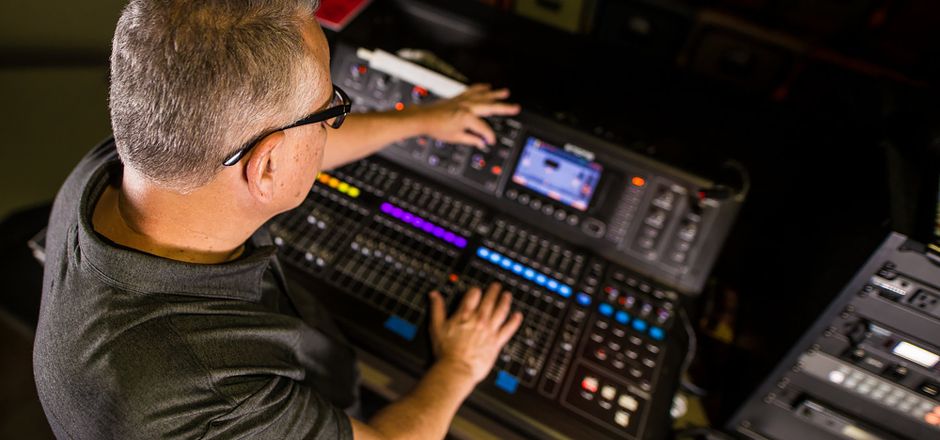
Sound engineer working on a professional audio console in a studio setting, focusing on the mix.

Photo by Caleb Oquendo on Pexels

Physical Controls for Safety-Critical Functions

These technical constraints converge during an unplanned line stop, when operator console hardware design proves its commercial value. A packaging jam triggers a safety fault at 120 decibels in a facility where fine particulates obscure vision and vibration numbs fine motor control. The operator has approximately two seconds to locate the emergency stop or fault-clear button before upstream buffers overflow and force a full line purge. If the console uses a touchscreen requiring visual confirmation, the operator must break eye contact with the rotating machinery to navigate nested software menus. If the emergency stop is a physical mushroom-head button with tactile rim differentiation and positive force-displacement feedback, the clearance becomes a reflex that does not require visual verification. This is why hardened operator interfaces reserve permanent physical real estate for safety-critical functions, even when software offers dynamic reconfiguration. The console is either an extension of the operator’s reflexes or it is a liability during the highest-stress moments of production.

Developing production station devices for environments where failure costs throughput requires balancing durability, input physics, and human factors under stress. Bang Design has spent 25 years bridging harsh industrial requirements and human-centered interfaces. Their product engineering teams specialize in die-cast enclosures, thermal management, and manufacturing environments where vibration and EMI define the design envelope. Explore their work or start a project.

See all plans

Get in touch with us

By registering, you confirm that you agree to the processing of personal data by BangDesign as described in our privacy policy